Most people have no idea how many subscriptions they are paying for. Not a rough idea. No idea. Studies consistently show that people underestimate their subscription spending by 100% or more. The charges are small, they are automatic, and they are easy to ignore -- which is exactly why a subscription audit is one of the highest-return financial tasks you can do.
The good news is that it does not take long. You can do a thorough subscription audit in about 15 minutes, and the savings often start the same day. Here is exactly how to do it.
Before You Start
You will need access to your bank and credit card statements for the last 90 days. If you use multiple cards or bank accounts, pull statements for all of them. Subscriptions have a habit of spreading across payment methods, especially if you signed up for different services at different times.
If you use PayPal, Venmo, or Apple Pay as intermediaries, check those accounts too. Some subscriptions bill through payment processors rather than charging your card directly, which makes them harder to spot on a bank statement.
Have a notes app or spreadsheet open. You are going to build a list.
Step 1: Pull Your Recurring Charges (5 Minutes)
Go through your statements and write down every charge that appears more than once. You are looking for:
- Monthly charges that appear on similar dates each month
- Annual charges that appeared once in the last year (these are easy to miss -- check last year's statements if you can)
- Quarterly charges that show up every three months
- Charges from names you do not recognize -- subscription companies often bill under parent company names or abbreviations
Do not try to evaluate anything yet. Just list them. For each charge, write down the name, the amount, and how often it bills.
If you want to speed this step up, you can use an app that connects to your bank and automatically identifies recurring charges. The best subscription tracker app page shows what to look for and is a better starting point than a generic demo if you are evaluating options.
Step 2: Categorize Each Subscription (3 Minutes)
Now go through your list and put each subscription into one of four buckets:
Essential. These are subscriptions you use regularly and would immediately re-subscribe to if they were canceled. Your phone plan, internet service, and primary streaming service probably fall here.
Useful but not critical. You use these occasionally and get some value, but you could live without them. A secondary streaming service, a premium app you use a few times a month, or a cloud storage plan falls into this category.
Rarely used. You have not used this in the last month, or you use it so infrequently that the per-use cost is absurd. That language learning app you open once every six weeks? It belongs here.
Forgotten or unknown. You do not recognize the charge, or you forgot you were still paying for it. These are your zombie subscriptions, and they should be first on the chopping block.
Step 3: Evaluate and Decide (5 Minutes)
For each subscription, make one of four decisions:
Keep as-is. It is essential, you use it regularly, and the current plan is the right one. Move on.
Downgrade. You want to keep it, but you are paying for features you do not use. Many services offer basic tiers at 30-50% less than premium plans. Spotify, YouTube, cloud storage, and productivity tools often have cheaper options that cover what you actually need.
Pause or rotate. Some subscriptions make sense seasonally. You do not need every streaming service every month. Cancel two, keep one, and rotate every few months when new shows come out. This alone can save $20 to $40 per month.
Cancel. If it is in the "rarely used" or "forgotten" bucket, cancel it. Do not talk yourself into keeping it because you "might use it someday." If you have not used it in 30 days, the odds of it becoming essential next month are very low.
Step 4: Act Immediately (2 Minutes)
This is the most important step, and it is where most people fail. Do not make a list of things to cancel "later." Cancel them right now, while you have the momentum.
For each subscription you are cutting:
- Open the app or website
- Navigate to account settings or billing
- Cancel or downgrade
If a service makes cancellation difficult -- and some deliberately do -- check out our guide on how to find and cancel subscriptions you do not use. It covers the common tricks companies use to retain you and how to get past them.
Most cancellations take effect at the end of your current billing period, so you will still have access until then. There is no reason to wait.
Tips for Negotiating Lower Rates
Before you cancel a subscription you are on the fence about, it is worth trying to negotiate a lower rate. This works more often than people expect, especially with:
- Internet and cable providers. Call and say you are considering switching to a competitor. Retention departments often have unadvertised discounts they can apply. This can save $10 to $30 per month.
- Insurance. Get quotes from two or three competitors and call your current provider with the numbers. They will frequently match or beat the lowest quote to keep you.
- Streaming services. Some services offer discounted annual plans or student/family rates you might qualify for. It never hurts to check.
- Software subscriptions. If you email support saying you are thinking of canceling, many SaaS companies will offer a discounted rate or an extended trial of premium features.
The key is to be polite but direct. "I am reviewing my expenses and considering canceling. Is there a lower rate available?" works surprisingly well.
Set a Recurring Audit Schedule
A one-time audit is valuable, but subscriptions have a way of creeping back. New free trials convert to paid plans. You sign up for something during a sale and forget about it. A price increase bumps a $9.99 subscription to $14.99 and you do not notice.
Set a calendar reminder to repeat this audit every 90 days. Four times a year, 15 minutes each time -- that is one hour total to potentially save hundreds of dollars annually.
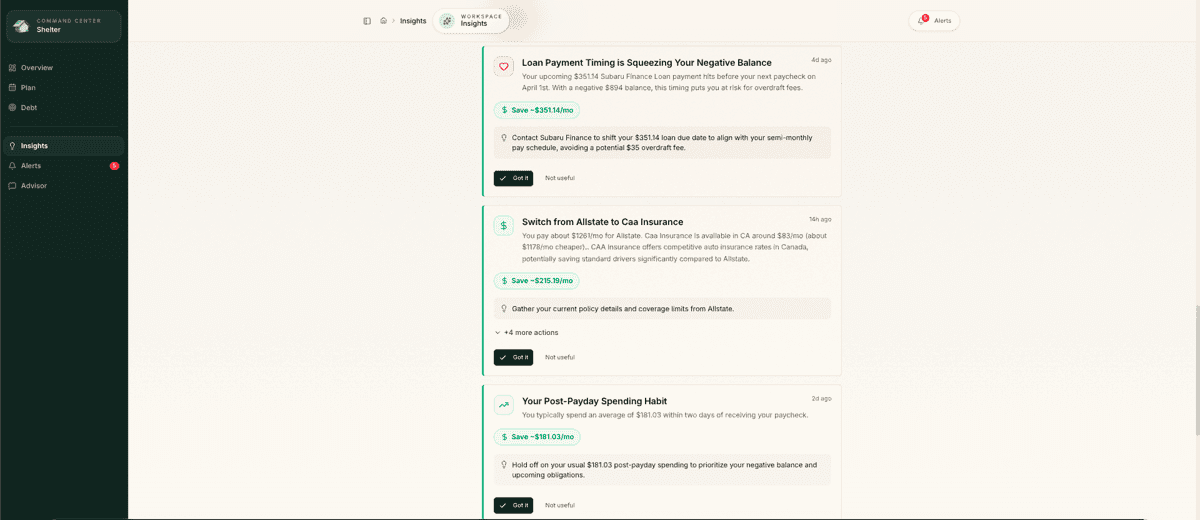
Between audits, it helps to have some kind of ongoing visibility into your recurring charges. Shelter keeps a running view of your subscriptions by staying connected to your bank accounts, so new charges get flagged as they appear rather than hiding until your next manual review. If you are comparing recurring-charge tools, the Rocket Money alternative page explains where Shelter takes a more cash-flow-focused approach.
The Bigger Picture
A subscription audit is not just about saving money on individual services. It is about building awareness of where your money goes each month. Most people are surprised by the total when they add it all up for the first time.
That awareness is the foundation for every other financial improvement. Once you know what you are actually spending, you can make intentional choices about what to keep, what to cut, and where to redirect the savings. It is one of the simplest ways to reduce your monthly bills without changing your lifestyle.
Fifteen minutes. That is all it takes. And the subscriptions you cancel today stop costing you money tomorrow.
Take control of your cash flow
Shelter connects to your bank, forecasts your balance 30 days out, and alerts you before problems happen.