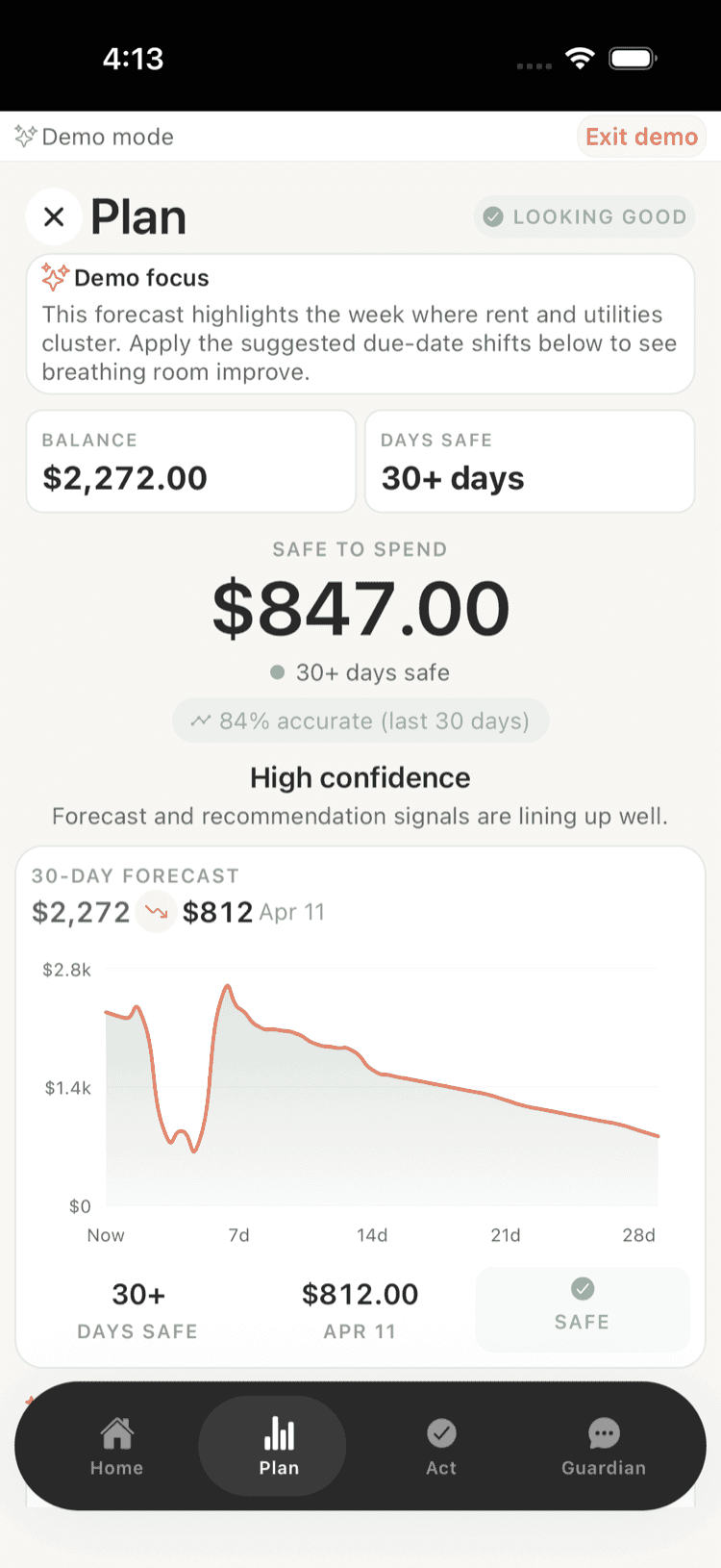
Young professionals and gig workers face unique challenges in understanding where their money goes, especially with irregular income and automatic payments hitting accounts unexpectedly. This comprehensive checklist covers everything you need to implement proper spending insights, from setting up automatic categorization to preventing overdraft fees through better cash flow visibility.
Setting Up Automatic Spending Categorization
-
Connect all bank accounts and credit cards to your spending tracker -- Link checking, savings, and credit accounts to get a complete picture of money movement across all financial institutions.
-
Enable real-time transaction importing -- Turn on automatic syncing so transactions appear immediately instead of waiting for manual updates or delays.
-
Set up merchant name standardization rules -- Create rules so 'AMZN MKTP' automatically shows as 'Amazon' and similar cryptic merchant names become recognizable.
-
Configure location-based category suggestions -- Enable GPS-based categorization so coffee shops automatically suggest 'Food & Dining' and gas stations suggest 'Transportation'.
-
Create custom categories for gig work expenses -- Set up specific categories like 'Rideshare Gas', 'Delivery Equipment', or 'Freelance Software' that standard apps often miss.
-
Enable automatic bill detection and categorization -- Turn on features that recognize recurring payments and automatically categorize them as utilities, rent, or subscriptions.
-
Set up split transaction handling for mixed purchases -- Configure rules for automatically splitting transactions like grocery stores that sell both food and pharmacy items.
-
Create income categorization rules for irregular payments -- Set up automatic recognition of gig payments, freelance income, and side hustle earnings with proper categorization.
-
Enable pending transaction tracking -- Turn on monitoring of pending charges so you know about money that's committed but hasn't cleared yet.
-
Set up automatic refund and return detection -- Configure the system to recognize when transactions are refunds or returns and categorize them appropriately.
-
Create rules for cash transactions and ATM withdrawals -- Set up automatic categorization for ATM withdrawals and create a system for tracking what cash purchases were for.
-
Configure automatic duplicate transaction removal -- Enable detection and removal of duplicate transactions that can occur when the same purchase appears on multiple connected accounts.
-
Set up foreign transaction and currency conversion tracking -- Configure proper categorization and conversion tracking for international purchases and travel expenses.
-
Enable automatic tax-deductible expense flagging -- Set up rules to automatically flag business expenses, charitable donations, and other potentially deductible transactions.
-
Create backup categorization workflows -- Set up fallback rules and manual review processes for transactions that can't be automatically categorized.
Implementing Cash Flow Forecasting
-
Map out all fixed monthly expenses with exact dates -- List rent, utilities, insurance, and loan payments with their specific due dates to predict cash outflows.
-
Track irregular income patterns for gig work -- Analyze 3-6 months of gig earnings to identify weekly patterns and seasonal fluctuations in your income streams.
-
Set up automated bill due date tracking -- Use apps that scan your email for bill notifications and automatically add due dates to your cash flow calendar.
-
Create variable expense forecasting based on historical data -- Analyze past spending patterns to predict likely grocery, gas, and entertainment expenses for upcoming weeks.
-
Set up low balance alerts based on upcoming expenses -- Configure notifications that warn you when your balance might not cover upcoming bills, not just when it hits zero.
-
Track pay schedule alignment with bill due dates -- Map when your income arrives versus when bills are due to identify potential cash flow gaps.
-
Monitor subscription renewal dates and amounts -- Keep a calendar of all recurring subscriptions with renewal dates and price changes to avoid surprise charges.
-
Set up emergency expense buffer calculations -- Determine how much buffer you need for unexpected expenses based on your income volatility and fixed costs.
-
Create weekly cash flow snapshots -- Generate weekly reports showing expected income vs expenses to identify tight weeks in advance.
-
Track seasonal spending pattern changes -- Monitor how your spending changes during holidays, back-to-school periods, or seasonal work fluctuations.
-
Set up automated savings transfers based on income timing -- Configure automatic transfers that move money to savings right after payday but before bills hit your account.
-
Monitor credit card payment timing vs statement dates -- Track when credit card payments are due relative to when new charges appear to optimize payment timing.
-
Create contingency plans for income shortfalls -- Develop action plans for weeks when gig income is lower than expected, including which bills can be delayed.
-
Set up multi-week cash flow projections -- Create rolling 4-6 week forecasts that account for known income and expenses to spot potential problems early.
-
Track the impact of irregular expenses on cash flow -- Monitor how one-time expenses like car repairs or medical bills affect your cash flow for weeks afterward.
Overdraft Prevention and Account Monitoring
-
Enable real-time balance notifications on your phone -- Set up instant alerts when your account balance drops below specific thresholds, not just when you're overdrawn.
-
Track pending transactions that haven't cleared yet -- Monitor holds on your account from gas stations, hotels, and restaurants that temporarily reduce your available balance.
-
Set up overdraft protection with a secondary account -- Link a savings account or credit line to automatically cover overdrafts instead of paying fees.
-
Monitor automatic payment schedules vs paycheck timing -- Create a calendar showing when automatic bills hit your account compared to when you get paid to avoid timing mismatches.
-
Track merchant authorization vs settlement timing differences -- Understand how long different merchants take to actually charge your account after you make a purchase.
-
Set up multiple balance threshold alerts -- Create alerts at $100, $50, and $25 remaining so you have advance warning before hitting zero.
-
Monitor weekend and holiday processing delays -- Track how deposits and payments process differently on weekends and bank holidays to avoid timing issues.
-
Use available balance instead of account balance for decisions -- Always check available balance (minus pending transactions) rather than total balance when making spending decisions.
-
Set up automatic small transfers to maintain minimum balances -- Configure tiny daily or weekly transfers from savings to checking to keep a buffer above zero.
-
Track your bank's overdraft fee policies and limits -- Know exactly how much your bank charges for overdrafts and daily limits to understand the true cost of mistakes.
-
Monitor ACH return patterns for insufficient funds -- Track which automatic payments have been returned due to insufficient funds to identify problematic timing patterns.
-
Set up backup payment methods for essential bills -- Configure secondary payment sources for rent, utilities, and other critical bills in case your primary account is low.
-
Use mobile check deposit strategically for timing -- Understand your bank's mobile deposit availability timing to get funds available when you need them most.
-
Monitor shared account access and unexpected withdrawals -- Track any authorized users on your account and set up alerts for transactions you didn't initiate yourself.
-
Create overdraft recovery and fee reversal strategies -- Develop a plan for quickly addressing overdrafts and know how to request fee reversals from your bank.
Subscription and Recurring Payment Management
-
Audit all active subscriptions using bank statement analysis -- Review 3 months of transactions to find all recurring charges, including ones you may have forgotten about.
-
Set up subscription tracking with renewal date alerts -- Use apps that monitor your email and bank accounts to track all subscriptions and warn you before renewals.
-
Monitor free trial expiration dates -- Track when free trials end so you can cancel before being charged if you don't want to continue the service.
-
Track annual vs monthly subscription cost differences -- Calculate whether paying annually saves money compared to monthly payments for services you definitely want to keep.
-
Set up virtual cards for subscription management -- Use virtual credit card numbers that you can easily cancel or modify if you want to stop a subscription without hassle.
-
Monitor subscription price increases and plan changes -- Track when services increase prices or change their plans so you can decide whether to continue or switch alternatives.
-
Consolidate similar services to reduce redundancy -- Identify overlapping subscriptions like multiple streaming services or productivity apps that serve the same purpose.
-
Set up spending limits for subscription categories -- Create monthly budgets for entertainment, productivity, and other subscription categories to prevent subscription creep.
-
Track family plan opportunities and sharing options -- Monitor which services offer family plans that could save money when shared with roommates or family members.
-
Monitor subscription usage vs cost analysis -- Track how often you actually use each subscription to determine if the cost per use makes sense.
-
Set up automatic subscription cancellation reminders -- Create calendar alerts to review and potentially cancel subscriptions every 3-6 months based on your usage.
-
Track seasonal subscription patterns -- Monitor which subscriptions you only need certain times of year and set up seasonal activation/cancellation schedules.
-
Monitor student and discount eligibility changes -- Track when you might lose student discounts or other special pricing and plan for the cost increases.
-
Create subscription emergency pause procedures -- Know how to quickly pause or cancel subscriptions if you hit a financial rough patch without losing your data.
-
Set up subscription bundling analysis -- Regularly review whether bundled services like phone + internet packages still offer better value than separate services.
Take Control of Your Finances
Shelter gives you a clear picture of your cash flow, tracks your bills and subscriptions, and helps you avoid overdraft fees -- all without the stress of traditional budgeting. Connect your accounts in minutes and let Shelter do the heavy lifting.
Download Shelter and start managing your money smarter today.
Take control of your cash flow
Shelter connects to your bank, forecasts your balance 30 days out, and alerts you before problems happen.