In short
Shelter uses Plaid for read-only bank linking. Shelter does not store your bank login credentials, cannot move money, cannot make payments, and uses connected account data only for forecasts, alerts, and coaching. For Plaid's own security practices, read Plaid's official trust and safety resources.
The first time a financial app asks you to "connect your bank account," it is natural to hesitate. That hesitation is healthy. A good answer should be specific about what the app can access, what it cannot do, how the connection can be revoked, and where third-party claims come from.
This page explains Shelter's implementation. We can speak for what Shelter requests, stores, and prevents. We do not speak on behalf of Plaid; for Plaid's own security, privacy, and coverage details, read Plaid's trust and safety resources and Plaid Portal.
The Short Answer for Shelter
Shelter connects bank accounts through Plaid in read-only mode. That means Shelter can use connected account data to help forecast cash flow, detect recurring bills, surface subscriptions, and coach you through tight weeks.
Shelter cannot:
- Move money
- Transfer funds
- Make payments
- Change account settings
- Cancel subscriptions on your behalf
- See or store your bank login credentials
That read-only boundary is the main safety point. Shelter is designed to be a visibility and coaching layer, not a money-movement product.
Why Shelter Asks for Bank Access
Cash-flow forecasting is only useful when it has current information. A manually entered balance goes stale quickly, and forgotten bills are often the whole reason people get surprised.
Shelter uses connected account data to answer practical questions:
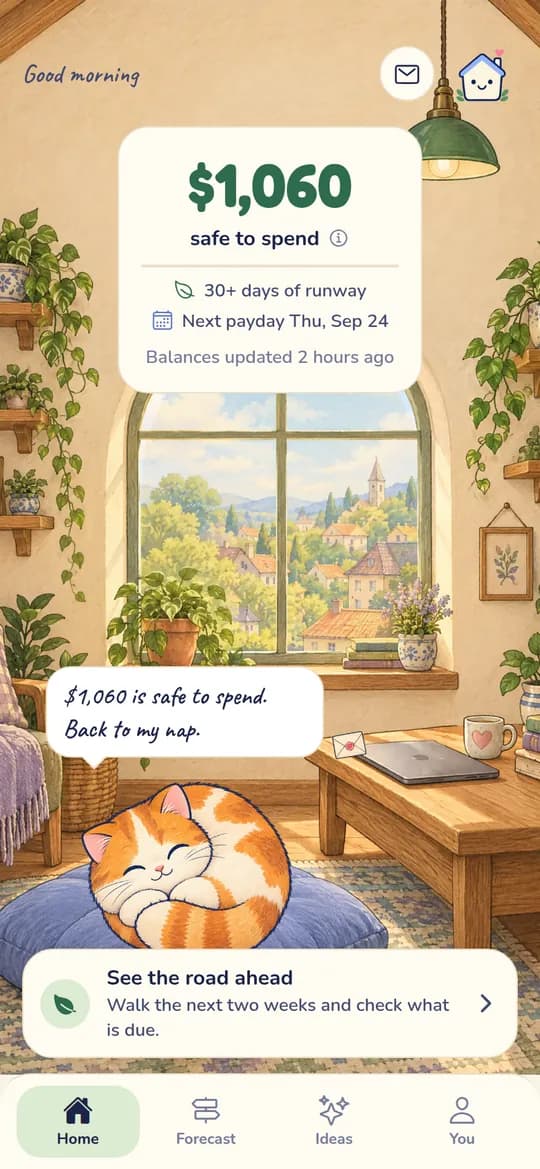
- How much is actually safe to spend before payday?
- Which bills or subscriptions are coming before the next deposit?
- Is a low-balance day likely in the next 30 days?
- Did a recurring charge increase or come back after you forgot about it?
- What is the smallest action that reduces the risk?
The bank connection is there to make those answers grounded in your actual financial timeline.
How the Connection Works in Shelter
When you connect a bank account, Shelter starts Plaid's connection flow. The credential step happens through Plaid and your financial institution, not through a Shelter login form. Shelter receives the read-only data needed to power the app, not your bank username or password.
In Shelter, the connected data is used for:
- Account names, types, balances, and limited account metadata
- Transaction history needed for forecasts and recurring-charge detection
- Institution and connection status metadata
- Alerts and Shelter AI coaching tied to your financial timeline
Shelter does not request bank-linking access so it can move funds. If a product ever asks for payment initiation, transfers, or account changes, that is a different permission profile and deserves a different level of scrutiny.
What to Check Before Linking Any Finance App
Read-Only Access
Look for a clear statement that the app uses read-only access. For a budgeting, spending, subscription, or cash-flow forecasting app, read-only access should usually be enough. If the app asks for permission to initiate payments or transfers, ask why.
Credential Handling
The app should not ask you to type your bank password into its own form. In Shelter's case, the connection is handled through Plaid, and Shelter does not store your bank login credentials.
Data Use
Read the privacy policy. The app should explain what data it collects, why it needs it, whether it sells data, and how to request deletion. Shelter is subscription-funded and does not sell financial data or show third-party ads.
Encryption and Storage
Financial data should be encrypted in transit and at rest. Shelter encrypts financial data and sensitive connection tokens; bank login credentials are not stored by Shelter.
Revocation
You should be able to disconnect access. With Shelter, you can revoke a connected account from the app, and you can also review Plaid connections through Plaid Portal or your bank's connected-app settings when available.
Third-Party Claims
If an app makes claims about Plaid's security, certifications, or institution coverage, those claims should point back to Plaid's official materials. Shelter can explain how Shelter uses Plaid, but Plaid is the source of truth for Plaid's own practices.
Bank Linking Safety Checklist
| What to Check | Strong Signal | Red Flag |
|---|---|---|
| App permissions | Read-only for a forecasting or budgeting app | Transfer or payment access without a clear reason |
| Credential handling | App does not store your bank login | App asks for your bank password directly |
| Data use | Clear privacy policy and no data sales | Vague language about sharing or monetization |
| Storage | Financial data encrypted in transit and at rest | No public security explanation |
| Revocation | Easy to disconnect from app, bank, or portal | No obvious way to unlink |
| Third-party claims | Links to official provider resources | Broad provider claims with no source |
The Bottom Line
For Shelter specifically, linking a bank account through Plaid gives Shelter read-only financial data for forecasting, alerts, and coaching. It does not give Shelter the ability to move money, make payments, or store your bank login credentials.
That does not mean you should connect every app that asks. It means you should evaluate the app's actual permissions, business model, data policy, and revocation controls. Shelter's position is simple: we should earn trust by being precise about what Shelter can do, what Shelter cannot do, and where Plaid's own claims begin.

Take control of your cash flow
Shelter connects to your bank, forecasts your balance 30 days out, and alerts you before problems happen.