Security & Privacy

How Plaid Works: The Security Behind Bank-Linked Apps

8 min read

If you have ever connected a bank account to a financial app -- whether it is Venmo, Robinhood, a budgeting tool, or a cash flow tracker -- there is a good chance Plaid was involved. Plaid is the infrastructure that sits between your bank and the apps you use, handling the secure exchange of financial data so that each app does not need to build its own connection to every bank in the country.

Despite being used by millions of people, most users have only a vague sense of what Plaid actually does. That lack of understanding is a problem, because understanding Plaid is the key to understanding whether a bank-linked app is safe. So here is how it works, what data it handles, and what it does to keep your information secure.

What Plaid Actually Is

Plaid is a financial technology company that provides the plumbing between banks and applications. Think of it as a translator and a gatekeeper. Banks speak one language (their own internal systems, which vary wildly from institution to institution). Apps speak another (modern APIs that expect clean, standardized data). Plaid sits in the middle, connecting the two.

Plaid supports over 12,000 financial institutions across the US and Canada. When an app uses Plaid, it does not need to figure out how to talk to Chase, Bank of America, and a regional credit union separately. It talks to Plaid, and Plaid handles the rest.

This middleware role is critical for security. Instead of every app building its own bank connection (with its own security vulnerabilities), they all use a shared, heavily audited infrastructure that is purpose-built for handling sensitive financial data.

How the Connection Flow Works

When you link a bank account through an app that uses Plaid, the process follows a specific flow that is designed to keep your credentials safe.

Step 1: The App Opens Plaid Link

The app does not ask you to type your bank credentials into its own login form. Instead, it opens a component called Plaid Link -- a secure, Plaid-hosted interface. This interface is embedded in the app but runs entirely on Plaid's infrastructure.

Step 2: You Authenticate Directly with Your Bank

Inside Plaid Link, you select your bank and log in using your bank credentials. Depending on your bank, this might involve a username and password, a one-time code sent to your phone, or biometric verification. The important thing is that your credentials go directly to Plaid and your bank. The app you are connecting never sees them.

This is a critical security boundary. Your bank username and password are never transmitted to or stored by the app. They exist only within the secure handshake between Plaid and your bank.

Step 3: Plaid Receives an Access Token

After you authenticate successfully, your bank issues Plaid an access token. This token is a scoped credential that allows Plaid to request specific data from your account. The token is not your password. It cannot be used to log in to your bank's website. It can only be used through Plaid's API to access the data categories you authorized.

Step 4: The App Gets Data, Not Credentials

Plaid then provides the app with its own token -- a reference that the app can use to request your financial data through Plaid's API. At no point does the app receive your bank credentials, and it does not have direct access to your bank. Every data request goes through Plaid.

The result is a chain of trust: you trust your bank, your bank trusts Plaid, and Plaid provides data to the app under strict, scoped permissions.

What Data Plaid Shares

Plaid can provide apps with several categories of financial data, depending on what the app requests and what you authorize. The most common ones include:

Account information. Your account type (checking, savings, credit card), account name, and the last four digits of your account number. Not your full account number. Not your routing number. Not your online banking credentials.

Balances. Your current and available balance for each connected account. This is what allows apps to show you how much money you have right now.

Transactions. A history of your transactions, including the merchant name, amount, date, and category. This is the backbone of budgeting, cash flow forecasting, and subscription detection features.

Income verification. Some apps request income data, which Plaid can provide by analyzing deposit patterns. This is typically used by lending applications, not personal finance tools.

What Plaid does not share:

  • Your bank login credentials (username, password)
  • Your full account number or routing number (unless explicitly authorized for ACH payments)
  • Your Social Security number
  • Any data beyond what the app has specifically requested and you have authorized

The scope of data sharing is controlled and transparent. During the Plaid Link flow, you can see exactly what data categories the app is requesting before you agree to connect.

Plaid's Security Measures

Plaid handles financial data for tens of millions of users, which makes it a high-value target. The company invests heavily in security, and its measures are regularly audited by third parties.

SOC 2 Type II Certification

Plaid maintains SOC 2 Type II certification, which is an industry-standard audit performed by an independent firm. The audit evaluates Plaid's controls around security, availability, processing integrity, confidentiality, and privacy. Type II (as opposed to Type I) means the auditor tested whether those controls actually work over an extended period, not just whether they exist on paper.

Encryption Everywhere

All data transmitted between your bank, Plaid, and the connected app is encrypted in transit using TLS (the same encryption that protects your online banking sessions). Data stored on Plaid's servers is encrypted at rest using AES-256, which is the same encryption standard used by financial institutions and government agencies.

Tokenization

As described above, Plaid uses token-based authentication rather than credential storage. The tokens are scoped, meaning they can only access specific types of data, and they can be revoked at any time by the user, the app, or Plaid itself.

Regular Penetration Testing

Plaid conducts regular penetration testing -- essentially hiring security experts to try to break into their systems and find vulnerabilities. Any issues discovered are patched and re-tested.

Regulatory Compliance

Plaid operates under the oversight of financial regulators and complies with applicable data protection regulations. This includes strict requirements around how data is collected, stored, used, and deleted.

How Apps Like Shelter Use Plaid

Different apps use Plaid in different ways, depending on what they need. A payment app might use Plaid for account verification and payment initiation. An investment app might use it for funding transfers.

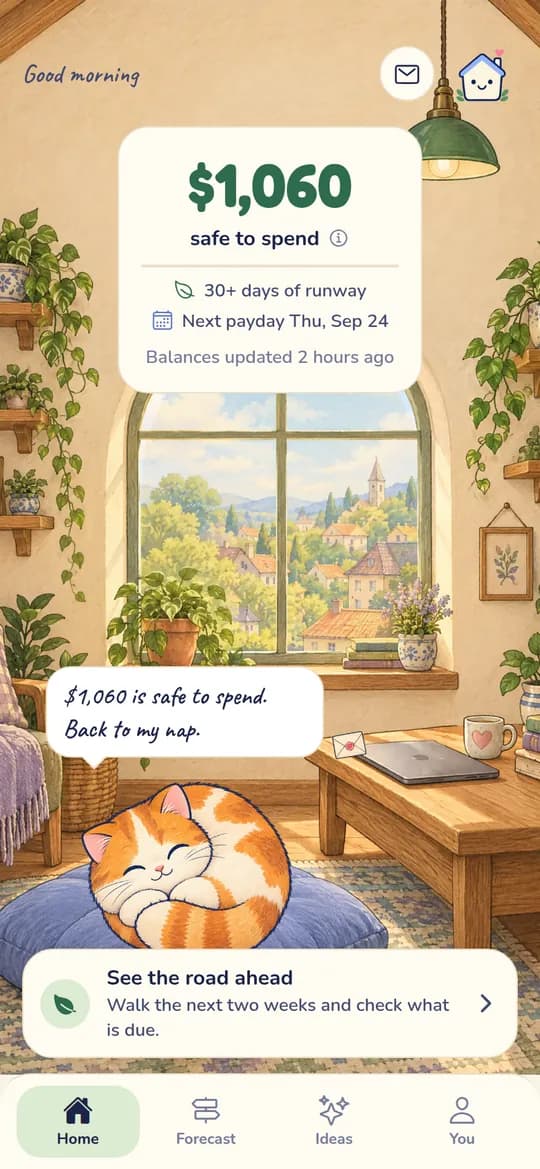
Personal finance tools like Shelter use Plaid in the most limited way possible: read-only access to transactions and balances. That is all Shelter needs to forecast your cash flow 30 days ahead, detect zombie subscriptions, and give you a clear picture of where your money stands. There is no payment initiation, no account modification, no write access of any kind.

This limited usage is deliberate. By requesting only read-only access through Plaid, Shelter ensures that even the underlying infrastructure does not have the capability to move money. It is not just that Shelter chooses not to -- it is that the connection itself is structurally incapable of it. For more on why this matters, see our article on why read-only access is important.

You can explore how this looks in practice by trying the Shelter demo, which shows the cash flow forecast, subscription detection, and Guardian AI advisor using sample data.

Managing Your Connected Apps

One of the best things about Plaid's architecture is that you stay in control. You can see and manage all of your Plaid connections at any time.

Plaid Portal

Plaid offers a consumer portal at my.plaid.com where you can:

  • See every app connected to your bank accounts through Plaid
  • View what data each app has access to
  • Disconnect any app with a single click

This is the simplest way to audit your financial app connections. If you connected an app six months ago and no longer use it, you can revoke its access in seconds.

Through Your Bank

Many banks now show Plaid connections in their own settings under a section like "connected apps" or "third-party access." You can revoke access from this side as well.

Through the App Itself

Most apps that use Plaid provide a way to disconnect your bank account within the app's settings. This revokes the access token and stops the data flow.

Revoking Access

Revoking access is immediate and complete. Once you disconnect an app through any of the methods above, the app's access token is invalidated. It can no longer request any data from your accounts. The app may retain data it previously downloaded (depending on its data retention policy), but it cannot fetch new data.

If you are concerned about previously downloaded data, check the app's privacy policy for information about data deletion, or contact their support team to request that your data be removed.

A good practice is to review your connected apps every few months -- the same way you would review your subscriptions. If you are no longer using an app, disconnect it. There is no reason for a dormant app to maintain access to your financial data.

Common Concerns Addressed

"What if Plaid itself gets breached?" This is a legitimate concern for any centralized service. Plaid mitigates this risk through encryption, tokenization, and extensive security infrastructure. In a hypothetical breach, the tokenized architecture means an attacker would not get bank credentials (Plaid does not store them for most connections). They would get access tokens that are scoped and revocable. It would be a serious incident, but the design limits the potential damage.

"Is Plaid selling my data?" Plaid's privacy policy states that it uses consumer data to provide services and improve its products. In 2022, Plaid settled a class-action lawsuit related to data collection practices and updated its disclosures. The current Plaid Link flow clearly shows what data is being shared and with whom. You have the right to request deletion of your data through Plaid's portal.

"Can I use financial apps without Plaid?" Some banks offer their own direct API connections, and some apps support alternative providers like MX or Finicity. However, Plaid is by far the most widely supported option. If you are uncomfortable with Plaid specifically but want to use a bank-linked app, check whether the app supports alternative connection methods.

The Bigger Picture

Plaid exists because the financial system was not built for the app economy. Banks developed their systems decades ago, long before anyone imagined consumers would want to connect their checking accounts to a mobile app. Plaid bridges that gap, providing a secure, standardized way to share financial data that did not exist before.

Understanding how Plaid works removes a lot of the anxiety around connecting your bank account to an app. The connection is tokenized, encrypted, scoped, and revocable. Your credentials are never shared with apps. And the entire system is regularly audited by independent security firms.

That said, Plaid is only one part of the equation. The app on the other end matters too. A secure Plaid connection is necessary but not sufficient -- you also want to make sure the app itself follows good security practices. For a complete checklist, see our guide on whether linking your bank account to an app is safe.

The combination of a secure intermediary like Plaid, an app that limits itself to read-only access, and a user who reviews their connections periodically is about as safe as bank-linked finance gets. It is not zero risk -- nothing is -- but it is a well-understood, well-protected system that millions of people rely on every day.

Take control of your cash flow

Shelter connects to your bank, forecasts your balance 30 days out, and alerts you before problems happen.


Related articles