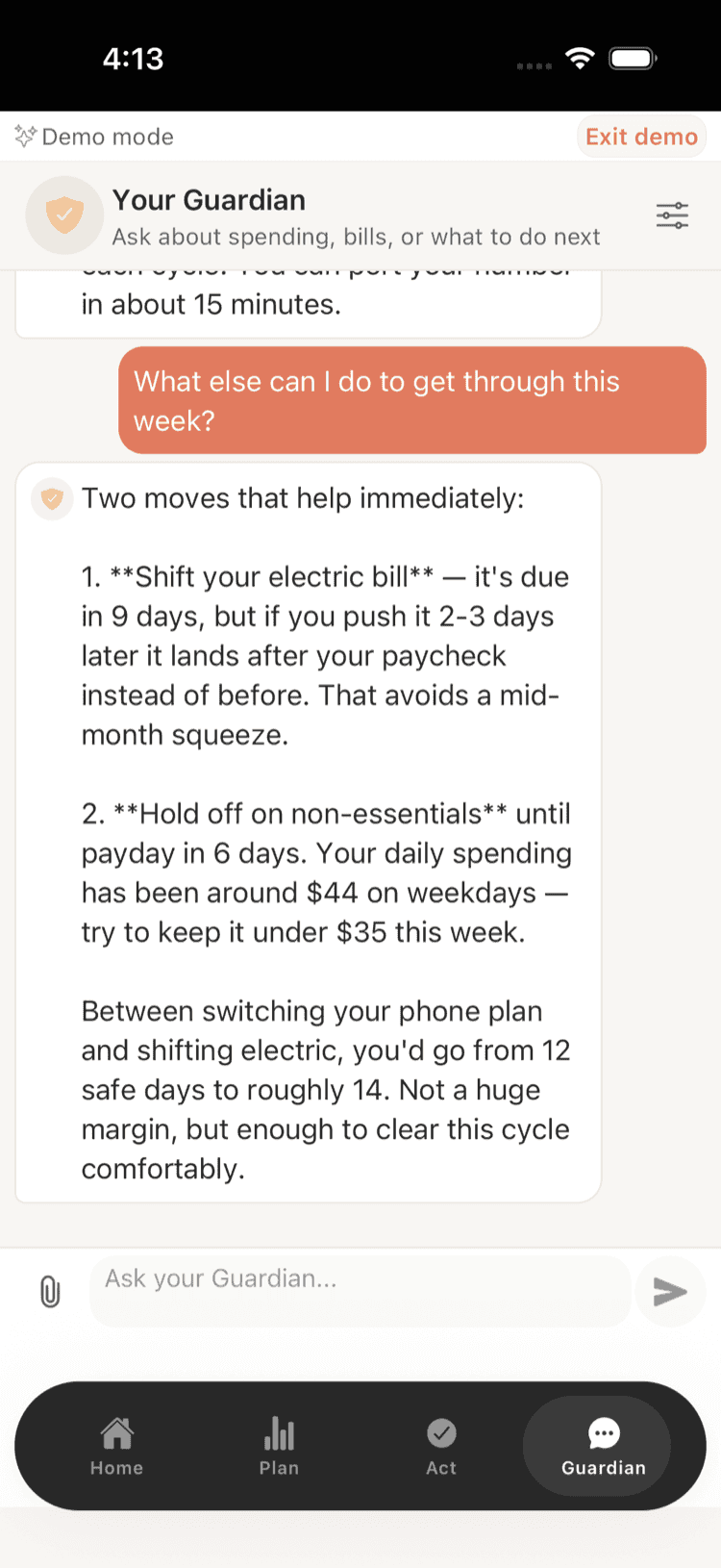
With popular financial apps constantly changing features, pricing, and availability, finding the right alternative has become crucial for managing your cash flow effectively. This comprehensive checklist helps you evaluate every aspect of financial management alternatives, from free options to premium solutions, ensuring you choose the perfect app to prevent overdrafts and track your money in 2026.
Core Features Evaluation
-
Real-time balance tracking across all accounts -- Verify the app syncs with your banks instantly and shows updated balances without manual refresh. Critical for avoiding overdraft surprises.
-
Automatic transaction categorization accuracy -- Test how well the app categorizes purchases, subscriptions, and transfers without constant manual correction. Poor categorization wastes time and creates errors.
-
Bill reminder system with customizable alerts -- Check if you can set multiple reminder types (push notifications, email, SMS) days before bills are due. Essential for paycheck-to-paycheck budgeters.
-
Subscription tracking and cancellation warnings -- Ensure the app identifies recurring charges and alerts you before free trials end or forgotten subscriptions renew.
-
Cash flow forecasting for next 30-60 days -- Verify the app predicts your account balance based on scheduled income and known expenses. Game-changer for timing purchases safely.
-
Overdraft prevention alerts with spending limits -- Test if the app warns you before purchases that could trigger overdraft fees, factoring in pending transactions and scheduled bills.
-
Multiple bank account aggregation capabilities -- Confirm the app connects to all your banks, credit unions, and financial institutions without connectivity issues or frequent re-authentication.
-
Spending insights with actionable recommendations -- Look for apps that don't just show where money went, but suggest specific ways to reduce expenses or optimize cash flow timing.
-
Cash-flow progress tracking integration -- Check if planned buffers or payoff targets adjust based on your actual income patterns and spending habits, not just fixed amounts.
-
Export capabilities for tax preparation -- Ensure you can export transaction data in formats accepted by tax software or accountants, especially important for gig workers.
-
Custom category creation for irregular income -- Verify you can create categories specific to gig work, freelancing, or irregular income sources that don't fit standard templates.
-
Net worth calculation including all assets and debts -- Check if the app tracks your complete financial picture beyond just checking accounts, including loans, investments, and property.
-
Split transaction handling for shared expenses -- Test how well the app manages roommate bills, shared groceries, or business expenses that need to be divided or reimbursed.
-
Historical data analysis with trend identification -- Look for apps that identify spending patterns, seasonal variations, and help predict future cash flow needs based on past behavior.
-
Integration with popular payment apps and services -- Ensure the app connects with Venmo, PayPal, Cash App, and other payment platforms you regularly use for complete financial visibility.
Security and Privacy Assessment
-
Bank-level encryption and security protocols -- Verify the app encrypts data in transit and at rest, uses read-only bank access, and does not store your bank credentials.
-
Two-factor authentication options available -- Check if the app offers 2FA through SMS, authenticator apps, or biometrics to secure your financial data beyond just passwords.
-
Read-only bank access verification -- Confirm the app cannot initiate transfers, payments, or account changes - only view transaction and balance information.
-
Data sharing policies and third-party partnerships -- Review privacy policies to understand if your financial data is sold to advertisers, credit agencies, or other companies.
-
Compliance with financial regulations and standards -- Ensure the app follows FDIC guidelines, SOC 2 Type II standards, and other regulatory requirements for financial service providers.
-
Account credential storage and handling practices -- Verify your banking passwords aren't stored by the app and that connections use secure tokens that can be revoked if needed.
-
Incident response history and transparency -- Research if the company has experienced data breaches and how they handled notification, remediation, and prevention measures.
-
Account monitoring and suspicious activity alerts -- Check if the app helps identify unusual spending patterns or potential fraud, not just track normal expenses.
-
Data retention and deletion policies -- Understand how long your financial data is stored after account closure and your rights to request complete data deletion.
-
Geographic data access and international compliance -- Verify data storage locations and whether the app complies with GDPR, CCPA, or other privacy laws that might affect you.
-
Session timeout and automatic logout features -- Ensure the app automatically logs you out after inactivity and requires re-authentication for sensitive actions.
-
Device-specific security measures and remote wipe -- Check if you can remotely deauthorize devices and whether the app has additional protections for lost or stolen phones.
-
Third-party integration security vetting process -- Understand how the app evaluates security of connected services like investment platforms or payment apps.
-
Regular security updates and patch management -- Verify the app receives frequent security updates and has a track record of quickly addressing vulnerabilities.
-
Customer support security verification procedures -- Test how customer service verifies your identity before discussing account details or making changes to your profile.
Cost and Value Analysis
-
Free tier limitations and feature restrictions -- Document exactly what's included in free versions versus premium tiers, especially for core features like bill tracking and alerts.
-
Premium subscription costs with annual vs monthly pricing -- Calculate true annual costs including any setup fees, and compare monthly versus yearly payment savings for your budget.
-
Hidden fees for additional accounts or services -- Identify any charges for connecting multiple banks, investment accounts, or accessing customer support beyond basic tiers.
-
Money-saving potential through overdraft prevention -- Estimate how much you could save in overdraft fees annually - even a $10/month app pays for itself if it prevents two $35 fees.
-
Subscription management savings calculation -- Determine potential savings from cancelled forgotten subscriptions - apps that find even one unused service often pay for themselves.
-
Trial period length and cancellation policies -- Check free trial duration and ensure you can cancel easily without automatic billing or retention tactics.
-
Family or multi-user account pricing options -- Compare individual versus family plan costs if you share finances with a partner or need multiple user access.
-
Integration costs with other financial tools -- Factor in additional costs if the app requires separate subscriptions for tax software, investment tracking, or accounting tools.
-
Customer support availability in different pricing tiers -- Verify if free users get limited support and whether premium tiers include phone, chat, or priority assistance.
-
Price history and stability over past 2-3 years -- Research whether the app frequently increases prices, eliminates features from free tiers, or changes pricing models.
-
Competitor pricing comparison for similar features -- Create a feature-by-feature cost comparison with 3-4 alternative apps to ensure you're getting the best value.
-
Refund policies and satisfaction guarantees -- Understand your options if the app doesn't work with your banks or doesn't meet expectations after purchase.
-
Educational content and financial literacy resources -- Evaluate whether premium tiers include financial education, webinars, or resources that add value beyond basic app features.
-
Promotional pricing and discount opportunities -- Check for student discounts, promotional rates, or bundle deals that could reduce long-term costs.
-
Cost per prevented financial mistake calculation -- Analyze your past overdraft fees, late payment charges, and subscription waste to determine maximum worthwhile app cost.
User Experience and Reliability
-
Mobile app responsiveness and loading speeds -- Test how quickly the app opens, refreshes data, and responds to taps - slow apps discourage regular use when you need quick balance checks.
-
Notification reliability and delivery timing -- Verify alerts arrive consistently and on schedule - missed bill reminders or late overdraft warnings defeat the app's core purpose.
-
Bank connection stability and sync frequency -- Check how often the app loses bank connections or requires re-authentication, which creates gaps in financial monitoring.
-
Offline functionality and data accessibility -- Test what information remains available without internet connection - crucial for checking balances in areas with poor signal.
-
Cross-platform synchronization between devices -- Verify data syncs properly between phone, tablet, and web versions so you have consistent information everywhere.
-
Search functionality for transactions and categories -- Test how easily you can find specific purchases, especially important for tracking business expenses or disputed charges.
-
Customization options for dashboard and views -- Check if you can prioritize the information most relevant to your situation, like upcoming bills or account balances.
-
Accessibility features for users with disabilities -- Verify screen reader compatibility, text size options, and color contrast settings meet accessibility standards.
-
Error handling and recovery procedures -- Test how the app responds to network issues, bank outages, or data sync problems - poor error handling creates anxiety.
-
App store ratings and recent user feedback trends -- Analyze recent reviews for patterns in complaints about bugs, customer service issues, or feature removals.
-
Customer support response times and quality -- Test support channels during your trial period to ensure help is available when bank connections fail or errors occur.
-
Regular app updates and bug fix frequency -- Check update history to see if developers actively maintain the app and respond to user-reported issues.
-
Learning curve and onboarding process effectiveness -- Evaluate how quickly you can set up accounts, understand features, and start getting value - complex apps get abandoned.
-
Widget availability and home screen integration -- Check if you can add balance widgets or quick shortcuts to your phone's home screen for instant financial visibility.
-
Backup and data export reliability -- Test your ability to export transaction history and ensure you won't lose financial data if you switch apps later.
Take Control of Your Finances
Shelter gives you a clear picture of your cash flow, tracks your bills and subscriptions, and helps you avoid overdraft fees -- all without the stress of traditional budgeting. Connect your accounts in minutes and let Shelter do the heavy lifting.
Download Shelter and start managing your money smarter today.
Take control of your cash flow
Shelter connects to your bank, forecasts your balance 30 days out, and alerts you before problems happen.